
TL;DR:
- Obsidian is ideal for solo research due to its local storage and permanent Markdown files. Notion suits teams with its cloud-based collaboration and structured databases. Tortugacreations provides exportable outputs that integrate seamlessly with either tool's workflow.
Choose Obsidian for solo, long-term research and Notion for team-facing project systems. That's the short answer, and the architecture behind each tool explains why.
- Collectors and history enthusiasts: Obsidian's local-first plain Markdown means your notes survive any platform change, open in any text editor, and work with Git for version history. Start by building a vault for your archive.
- Creative entrepreneurs: Notion's relational databases and built-in AI agents handle content calendars, client wikis, and project tracking without extra setup. Start with a shared workspace.
- Mixed roles: Many practitioners run both, using Obsidian as a private research layer and Notion as the outward-facing project hub.
The 2026 Radar evaluation frames this as an architecture-first decision: ownership and offline reliability versus collaboration and structured data. Obsidian has a large community plugin ecosystem, and Tortugacreations operates exactly this kind of split workflow in its studio practice.
Table of Contents
- How does Notion vs Obsidian compare across every key dimension?
- How do Notion and Obsidian handle security and privacy?
- How do they perform with large note collections?
- What are your backup and recovery options?
- Where do you find community support and learning resources?
- Tortugacreations can help you build the workflow that fits
- FAQ
- Key takeaways
How does Notion vs Obsidian compare across every key dimension?
| Dimension | Tortuga Creations Pty Ltd | Notion | Obsidian |
|---|---|---|---|
| Storage model | Cloud + local exports (dossiers, posters, books) | Cloud-hosted, proprietary blocks | Local plain Markdown (.md files) |
| Best for | Collectors, historians, creative entrepreneurs needing archival outputs | Team documentation, project tracking, collaborative wikis | Solo researchers, writers, archivists |
| Collaboration | Studio-led, bespoke | Real-time co-editing, @mentions, permissions | No native real-time co-editing; Sync shares vaults only |
| Offline access | Fully exportable deliverables | Limited; requires internet for most operations | Fully offline, always |
| Plugins / customisation | Proprietary blueprints and AI prompts | Hundreds of integrations (Slack, Jira, Google Drive) | Large community plugin ecosystem |
| AI / automation | Proprietary AI prompts and content blueprints | Native AI agents (multi-model, multi-step); Business plan only | Community plugins (Smart Connections, Copilot); bring-your-own API key |
| Security / privacy | Client-controlled deliverables | SOC2 Type II, ISO 27001; data on Notion's servers | Local files; Obsidian Sync is end-to-end encrypted |
| Pricing (AUD approx.) | Product-based; no monthly subscription | Free tier; Business ~AU$30/user/month | Core app free; Sync ~AU$6/user/month |
| Learning curve | Guided by studio resources | Moderate; polished onboarding | Steep for non-technical users |
Architecture trade-off in plain terms: Notion stores everything on its servers, which makes real-time collaboration effortless but means you depend on their platform. Obsidian stores every note as a .md file on your own device, so the data is yours permanently and portability is near-frictionless. The 2026 Bases plugin now adds table and card views to Obsidian vaults, closing the structured-data gap for solo users.
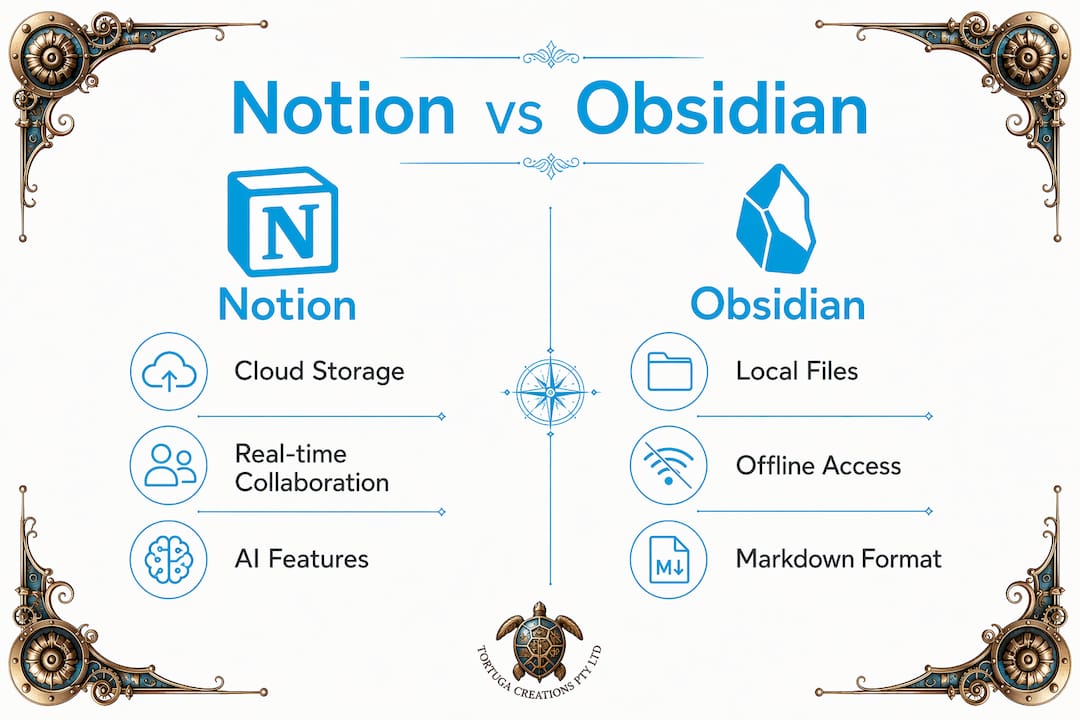
Pricing snapshot: A solo creative pays nothing for Obsidian's core app, or roughly AU$6/month for Sync. Notion's free tier covers basic notes; full AI access requires the Business plan at roughly AU$30/user/month. A five-person team on Notion Business runs approximately AU$150/month. Notion's AI pricing shifted in 2025 when the standalone AI add-on was removed for new subscribers.
Migration note: Moving from Obsidian to Notion is straightforward since Notion imports Markdown directly. The reverse is lossier: database relations and embedded content don't translate cleanly to Markdown files, so expect to rebuild structured workflows from scratch. Allow a weekend for a moderate vault.
Pro Tip: Run both tools in a split workflow: Obsidian for private research and rough notes, Notion for anything shared with collaborators or clients. Notion imports your polished Markdown notes directly.
For collectors and historians, exportability often decides the question. Plain Markdown files outlast any platform, and cloud-based practice management tools follow a similar logic: ownership of your data matters more than convenience when the work has long-term value.
How do Notion and Obsidian handle security and privacy?
Obsidian's local-first model gives you the strongest default privacy: your notes never touch a remote server unless you opt into Sync, which is end-to-end encrypted. Community plugins like Ollama integrations let you run AI queries against local models, so nothing leaves your machine. Notion is SOC2 Type II and ISO 27001 certified, with data encrypted in transit and at rest, but Notion's administrators can access your workspace. For sensitive research, regulated content, or archival material you intend to hold for decades, Obsidian's model is meaningfully stronger.

How do they perform with large note collections?
Obsidian opens a 412-note vault faster than Notion renders equivalent pages, and search across tens of thousands of local files is near-instant with no network dependency. Notion improved page load speeds in version 3.4 (March 2026), but large databases with complex views still lag on slow connections. For writers and historians who capture ideas constantly, that speed difference compounds across a working day.
What are your backup and recovery options?
Obsidian vaults are plain files, so your existing backup routine covers them: Time Machine, an external drive, or a Git repository all work without any extra configuration. Git also gives you a full diff history, which is genuinely useful for archival research. Notion offers version history on paid plans, letting you roll back any page, but your data ultimately lives on their servers. A manual export habit is wise for any Notion workspace you depend on.
Where do you find community support and learning resources?
Obsidian's community forum and the official Obsidian documentation are active and detailed, with plugin authors typically responsive on GitHub. Notion's official help centre is polished and beginner-friendly, with a large template gallery and YouTube tutorial ecosystem. For creative entrepreneurs, Notion's onboarding resources lower the barrier significantly. Obsidian rewards patience: the learning curve is real, but the community has produced guides for almost every workflow, from Zettelkasten research systems to content calendar plugins.
Tortugacreations can help you build the workflow that fits
Whether you land on Obsidian, Notion, or both, the harder question is how to structure your research, your archive, and your creative output so the work actually ships. That's where Tortugacreations comes in.

Philip Diaz's studio produces archive-quality authored books and blueprint dossiers that are built for export from day one, whether your notes live in a Markdown vault or a Notion database. Collectors and history enthusiasts get publication-ready outputs like the Cricket Heritage Archive series. Creative entrepreneurs get the Business Master Blueprint, proprietary AI prompts, and the Build It Grow It Earn From It module, all designed to turn a research workflow into a real product. The Life Resources Portal is free to access and a solid starting point. Browse the full studio catalogue at Tortugacreations and find the resource that matches where you are right now.
FAQ
Which is better for solo note-taking, Notion or Obsidian?
Obsidian is the stronger choice for solo knowledge workers: the core app is free, notes are plain Markdown files you own permanently, and the app works fully offline with near-instant search.
Can you use Notion and Obsidian together?
Yes. A common pattern is Obsidian for private research and rough notes, and Notion for shared project tracking and client-facing databases. Notion imports Markdown directly, making the transfer straightforward.
Is Obsidian free to use in Australia?
The core Obsidian app is free for everyone, including commercial use. Obsidian Sync costs approximately AU$6/user/month billed annually for cross-device syncing.
Which tool suits collectors and history enthusiasts best?
Obsidian suits collectors and historians who prioritise long-term archival formats, offline access, and data ownership. Plain Markdown files remain readable by any text editor indefinitely, which matters when you're building a research archive meant to last.
How does Tortugacreations fit into this comparison?
Tortugacreations produces exportable, archival-grade outputs (authored books, blueprint dossiers, AI prompts) that complement either tool's workflow, giving collectors, historians, and creative entrepreneurs publication-ready deliverables rather than raw notes.
Key takeaways
Obsidian wins for solo ownership and archival depth; Notion wins for team collaboration and AI convenience; Tortugacreations delivers the exportable, publication-ready outputs that make either workflow productive.
| Point | Details |
|---|---|
| Architecture decides everything | Choose local-first Obsidian for ownership and offline access, or cloud-first Notion for real-time collaboration and databases. |
| Plugin ecosystem depth | Obsidian's large community plugin ecosystem let you route AI through any model, including local ones that keep data off remote servers. |
| Pricing gap is real | Obsidian's core app is free; Notion's full AI access requires the Business plan at roughly AU$30/user/month. |
| Migration is one-way friendly | Moving Obsidian notes into Notion is clean; the reverse loses database relations and requires rebuilding structured workflows. |
| Tortugacreations bridges the gap | Studio-produced blueprints, authored books, and AI prompts give collectors, historians, and entrepreneurs exportable deliverables from any workflow. |
Recommended
- Tortuga Creations Pty Ltd | Artist Studio, design Studio, Technical Sneaker & Cricket Blueprint Books, Authored History Books, original unique posters, Tortuga clothing Aparel, Tortuga Merch
- Explore the technical beauty of Art, Design and sport with Tortuga Creations. Premium blueprint posters and technical dossiers for cricket and sneaker collectors. Shipping Australia-wide.
- Explore the technical beauty of Art, Design and sport with Tortuga Creations. Premium blueprint posters and technical dossiers for cricket and sneaker collectors. Shipping Australia-wide.
- Explore the technical beauty of Art, Design and sport with Tortuga Creations. Premium blueprint posters and technical dossiers for cricket and sneaker collectors. Shipping Australia-wide.